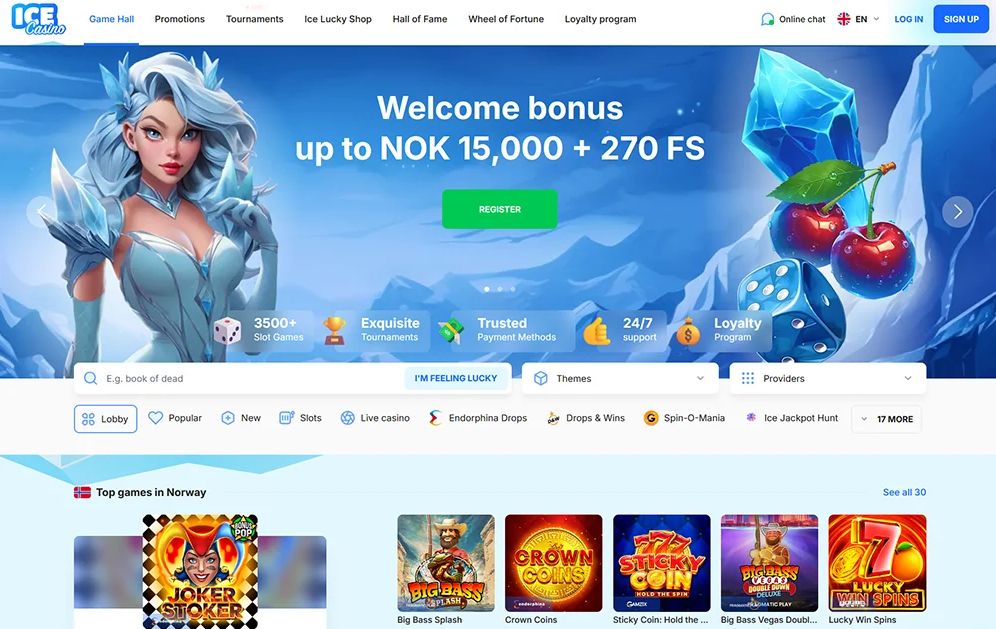
Establishing a secure login at Ice Casino demands a thorough understanding of the steps necessary, especially for users located in Austria who must fulfill both local expectations and the operator’s verification standards. The process commences with creating an account and moves through identity confirmation before two-factor authentication can be initiated. Each stage is intended to protect personal data and financial transactions while keeping simple for players who follow the sequence in order. Knowing what documents are valid, how long verification typically takes, and what to do if a step fails helps circumvent delays and ensures continuous access to the platform.
Eligibility Requirements Before Registration
Before setting up an account, Austrian residents must confirm they meet the legal age requirement of eighteen years and that they are physically located within Austria at the time of registration. The platform verifies IP addresses and may request additional proof if the connection appears to originate from outside the permitted region. Players should also have ready a valid email address that they manage, because all confirmation links and security codes are sent to this inbox. Finally, users need either a passport, national identity card or driving licence that clearly shows their full name, date of birth and a recent photograph, as these details will be cross-checked during the later verification stage.
Password Recovery Method
If a password is forgotten, the password reset option on the login page starts a process that requires entering the registered email address. A temporary reset link appears within minutes; clicking it loads a form where a new password has to be chosen following the same complexity rules used during registration. Because two-factor authentication stays enabled, the final step demands entry of a current authenticator code or one of the saved backup codes. This combination stops unauthorised parties from resetting credentials even if they obtain the email account.
Account Lockouts and Customer Support
Multiple failed login attempts within a short period cause a temporary lockout lasting thirty minutes. Players who exceed this window without success should pause before trying again or use the password recovery option instead of continuing to guess. Ongoing problems, such as repeated code rejection despite correct entry, indicate a possible time-sync problem between the app and the server; synchronising again the authenticator through its settings menu often solves the mismatch without contacting support.
Document Upload and Identity Verification
After the initial registration, players go to the verification section inside their profile and upload sharp colour scans or photos of the preferred identity document. The file size must be under 5 MB and the text must be fully legible, covering the machine-readable zone at the bottom of passports or ID cards. A up-to-date utility bill or bank statement issued within the last three months is also required to validate the residential address supplied during sign-up. The compliance team normally completes manual review within one to two hours on working days; players receive an email notification once verification is either confirmed or additional information is needed.
Valid Document Types
Austrian passports, national identity cards and EU driving licences are recognised without further translation. Non-EU documents must be accompanied by an official German or English translation certified by a sworn translator. Selfies displaying the document next to the face are not mandatory but can speed up processing if the automated system flags poor image quality. Players should steer clear of editing or cropping images, because any visible alteration may cause an automatic rejection and demand resubmission.
Common Verification Delays and How to Avoid Them
Blurry images, expired documents or conflicting spellings between the registration form and the uploaded ID are the most common causes of delay. Users can stop these issues by scanning documents on a flat surface with good lighting and verifying that every letter corresponds to the details entered earlier. If a rejection email comes, the message specifies the exact problem, allowing swift correction rather than a full restart of the process.
Enabling Two-Factor Authentication
Once identity verification is complete, the security settings page appears and presents the possibility to activate two-factor authentication. Ice Casino supports authenticator apps such as Google Authenticator or Authy instead of SMS codes, because app-based tokens are considered as more resistant to SIM-swap attacks. After picking the app option, a QR code is displayed on screen; scanning it with the chosen authenticator associates the account to the device. From that moment, every login attempt demands both the usual password and a six-digit code that refreshes every thirty seconds.
Backup and Recovery Codes
Immediately after enabling, the system presents a list of ten single-use backup codes. These codes should be printed or saved in a secure offline location, because losing access to the authenticator app without a backup requires a manual support request that can require several days. diese Seite Each code operates only once, and the list cannot be accessed again after the initial display, so recording it promptly is vital.
Changing or Replacing a Device
When a player changes phones, the authenticator must be reconfigured before the old device is removed icekaszino.org. The security settings page includes a “manage two-factor” section where users can create a new QR code after authenticating their identity with the current code or a backup code. This step guarantees continuous access without setting up a second account or reaching out to support for every device change.
Creating Your Ice Casino Account
The sign-up form requests essential personal information including first name, surname, date of birth, residential address and the email address already prepared. After providing these details, players select a username and a password that meets the site’s complexity rules: at least eight characters containing one uppercase letter, one number and one special character. Once the form is completed, an activation email arrives within a few minutes; clicking the link inside validates ownership of the mailbox and activates the account for the next stage. At this point the account is created but remains constrained until identity documents are submitted and approved.
Responsible Gaming Tools Available at Registration
During the final step of account creation, members can set deposit restrictions, loss limits and session time reminders. These tools stay adjustable at any time through the responsible gaming section of the profile. Austrian law mandates operators to offer such controls, and enabling them early demonstrates a forward-thinking approach to keeping balanced play without interrupting the login or verification workflow.
Signing In With Two-Factor Protection
Existing users input their username and password on the login page, then get an automatic prompt for the current six-digit code from their authenticator app. The code must be typed within the thirty-second window; if time runs out, simply pause for the next code rather than guessing. After valid validation, the session remains active for twenty-four hours on trusted devices unless the player manually logs out or clears browser cookies. Any login attempt from a new IP address or browser generates an email notification, giving users the ability to block unfamiliar activity instantly.
Security Settings Beyond Two-Factor
In addition to two-factor authentication, Ice Casino enables players to set withdrawal confirmation via email and to maintain a list of trusted withdrawal addresses. Enabling email confirmation means every payout request sends a separate verification link that must be clicked within fifteen minutes. Keeping a whitelist of crypto or bank accounts minimizes the risk of funds being sent to an address entered by mistake or by an intruder who has obtained login credentials.
Session Management and Device History
The account dashboard displays a list of recent login locations, timestamps and device types. Users can stop any active session remotely if they notice unfamiliar activity. Regularly checking this list helps detect unauthorised access early and underscores the value of keeping two-factor authentication active at all times.
Transaction Verification Checks
Although identity verification is completed once, large or multiple transactions may initiate additional source-of-funds checks. Austrian players should be willing to provide bank statements or salary slips if a single deposit exceeds €2,000 or if cumulative monthly deposits go beyond €10,000. These checks are required by Austrian financial regulations and are not unique to Ice Casino, but being aware of the thresholds in advance eliminates surprise delays during high-value play periods.